Your computer does the work. You approve it from your phone.
dotz is a personal assistant that stays on, on your own computer. It reads new mail, drafts the reply, and waits for you to press Send.
curl -fsSL https://raw.githubusercontent.com/ddotz/dotz/main/install.sh | sh
macOS · Linux · Windows (WSL 2)
Not just mail.
-
Ask from your phone
Away from your desk, ask about today's schedule or your mail in the messenger you already use.
-
Catch the price drop
Pick a product to watch, and your phone gets a notice when the price goes down.
Back at your desk, it's all in one app.
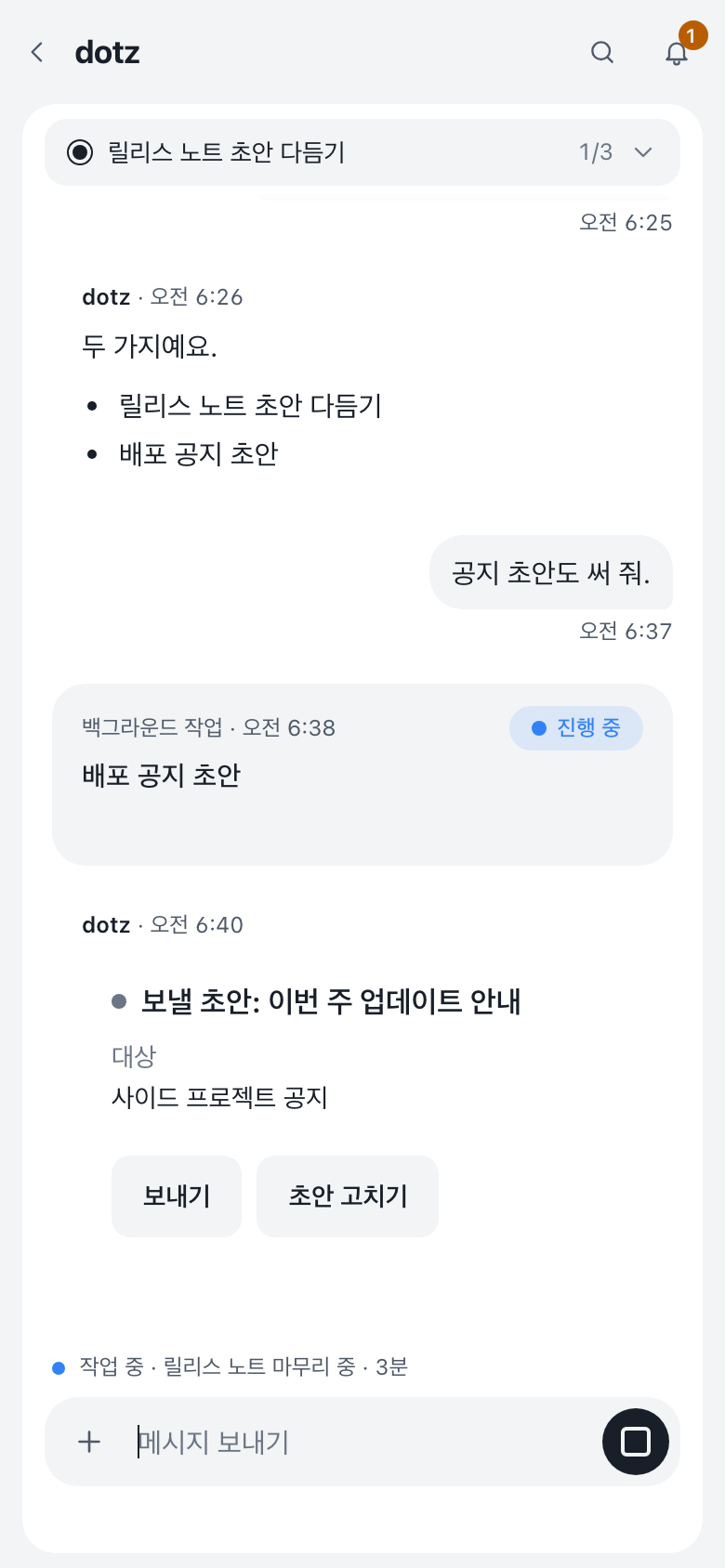
Chats, projects and everything it watches are in one web app. Each project gets its own session, and work stopped by a restart or a dropped connection starts again by itself.
Open the demo
This is the real app, running on sample data in your browser. Its screens are in Korean for now.
It stays on your computer and asks first.
- Nothing goes out without your OK
- Every mail, reply or post waits in the chat until you approve it.
- Runs on your machine
- It uses the logins and files already on your computer. Secrets stay in ~/.dotz/secrets.
- Finds past conversations
- Ask for "that thing from last week". Indexing and search run on this computer only.
- Open source
- MIT license. All of the code is on GitHub.
~/.dotzconfig.jsonsettings, with no secrets in itsecrets/tokens only you can readidentity/its name and tonememory/what it knows about youRULES.mdthe rules you gave it
One command to install.
curl -fsSL https://raw.githubusercontent.com/ddotz/dotz/main/install.sh | sh
macOS · Linux · Windows (WSL 2)
Installing on Windows
- Run
wsl --installin PowerShell as administrator. - Restart, then paste the command above into the Ubuntu window.
- dotz runs in WSL and works with Windows from there. Setup guide (Korean)
Setup is in English and Korean, and the assistant replies in the language you set.
- Paste the command into a terminal on macOS or Linux.
- A browser opens for setup. Pick the assistant's name, its tone and what to connect, then sign in to a model provider.
- After that, type dotz in a terminal to open the web app. Updates arrive on their own.